Short summary
Tutut started as a smart little app that helped users find cheap pumps nearby. In this major revamp (v3.0.0) the app has been modernized and hardened: Flutter was upgraded from 2.2.1 to 3.7.12, the codebase migrated to null safety, the UI now follows Material 3, we removed the Django backend so the app can fetch and process OpenData directly on the phone (fully offline-capable), added an interactive tutorial, and improved the design.
This article explains what changed, why it matters, and how the core features are implemented — with pragmatic migration notes for maintainers and mobile-focused technical detail for engineers who want to improve.
What’s new in v3
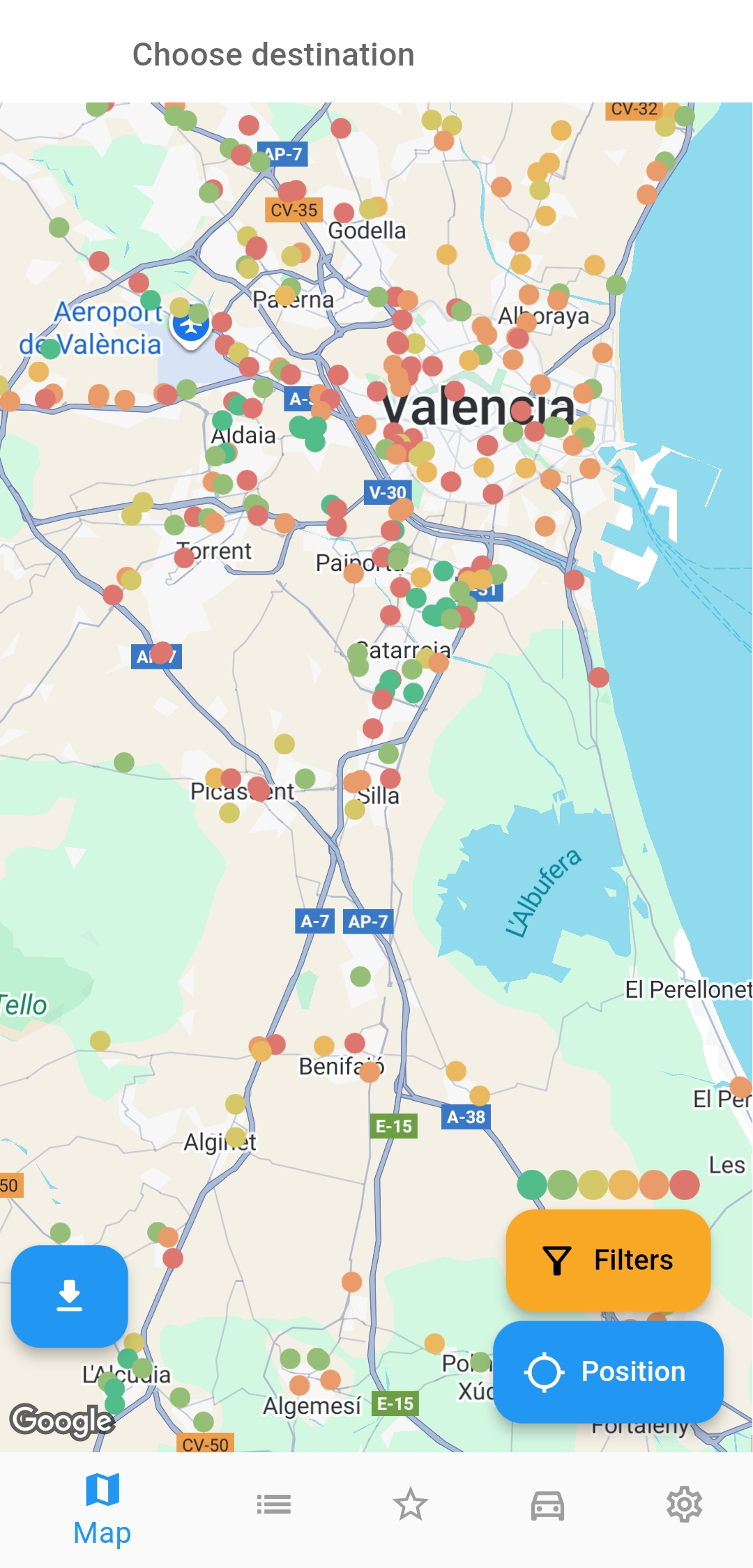
- Flutter 3.7.12 and modernized project structure.
- Migration to null safety
- New Material 3 UI.
- No more Django server: Tutut is now serverless, pumps data are fetched from official OpenData sources directly on the device and processed locally. This reduces infra cost, latency, and privacy concerns.
- Offline-first: local caching and on-device search; the app works when you have poor/no connectivity.
- Interactive tutorial: first-launch walkthrough and contextual tips so users learn key features fast.
- Design & UX improvements: refreshed color system, enhanced typography, better map integration, and improved accessibility.
Motivation / design goals
The goals for v3 were simple:
- keep the app lean (no server dependency),
- make offline and privacy-first a reality,
- modernize the codebase to reduce technical debt,
- improve discoverability with an in-app tutorial.
Removing the Django server simplifies operations and puts users in full control of the data: they fetch official OpenData from their country, store it locally, and search it using fast local queries.
Upgrade & migration notes (developer-focused)
Below are the essential steps and pitfalls when migrating Tutut from Flutter 2.2.1 to Flutter 3.7.12 and converting the codebase to null safety and Material 3.
1. Upgrade Flutter SDK
- Install Flutter 3.7.12 (fvm use 3.7.12). You can verify with
fvm flutter --version. (how to use fvm) - Run
dart pub outdated --mode=null-safetyto get your migration state of your package’s dependencies. Upgrade you packages, but do this carefully: upgrade packages one at a time and compile, test and fix frequently.
Look here for a more in-depth guide.
2. Prepare the project for null safety
- Update
environmentinpubspec.yamlto a version which supports null safety (minimum Dart SDK that aligns with your Flutter version). Example (adjust to your environment):
environment:
  sdk: ">=2.12.0 <3.0.0"
- Replace any use of
dynamicwhere a concrete type makes sense; add?where a value may be null. - Use
dart migrateto get an automated migration suggestion and follow the migration guide in the tool. Manually inspect changes and add runtime assertions where necessary.
You can use the language version override comment on the first line of a file to keep using dart 2.9 if you have heavy files that require too much work. But use it in parsimony and know that it’ll accumulate technical dept.
// @dart=2.9
3. Material 3 migration
- Switch to Material 3 widgets and theming (use
useMaterial3: trueinThemeData). - Replace old Material components with the modern counterparts where appropriate (e.g.
ElevatedButtonstyling viaButtonStyle). - Revisit custom widgets relying on internal theme fields — update them to use the new color scheme tokens (primary, surface, background, etc.) to support dynamic theming.
Example (part of main.dart):
final ThemeData theme = ThemeData(
  useMaterial3: true,
  colorScheme: ColorScheme.fromSeed(seedColor: Colors.teal),
  visualDensity: VisualDensity.adaptivePlatformDensity,
);

void main() => runApp(MaterialApp(theme: theme, home: AppRoot()));
4. Linting and code health
- Adopt
package:lintsorflutter_lintsand fix high-priority issues. Enforceprefer_final_locals,avoid_print(use logging). - Update/Add unit and widget tests for critical flows.
Architecture & offline-first data flow
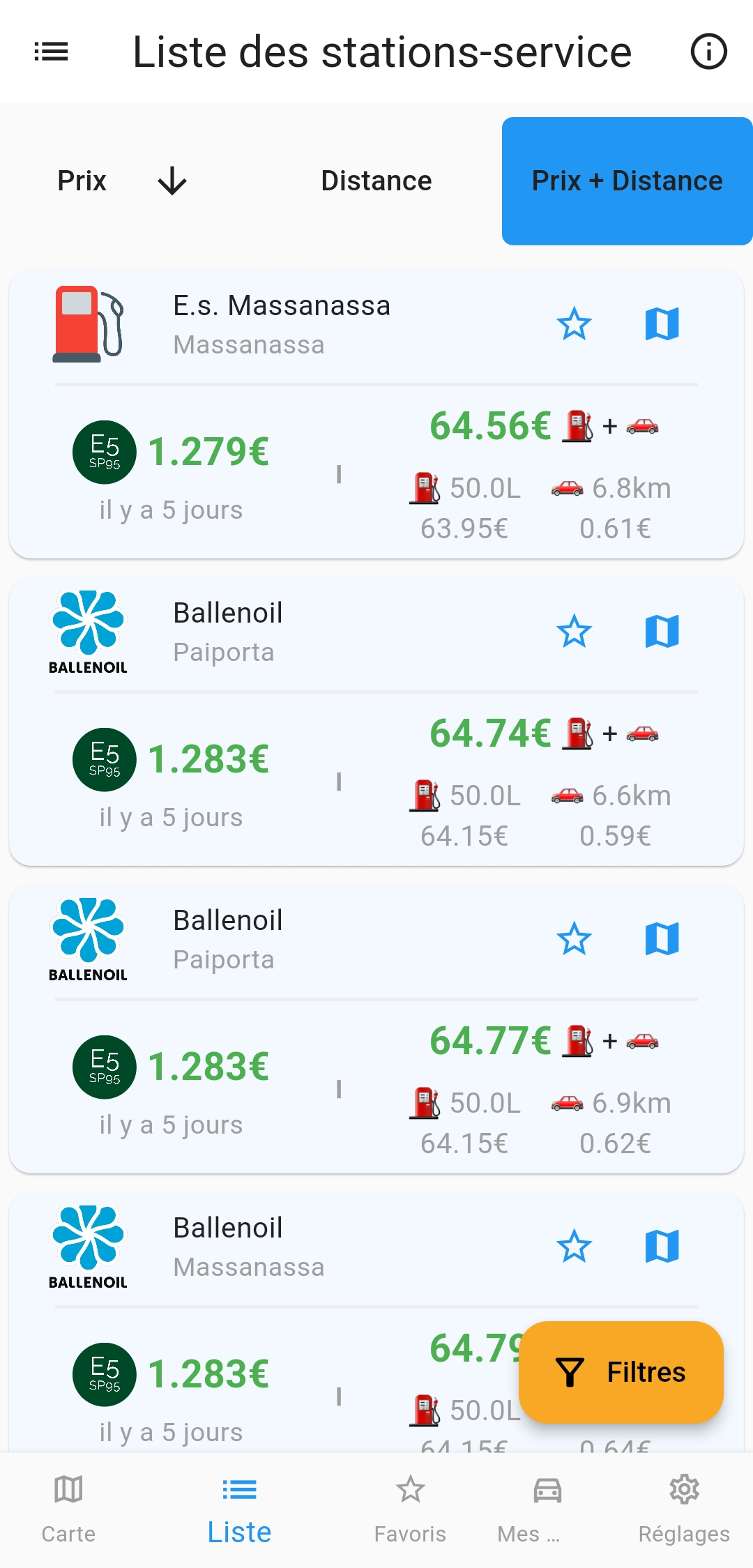
Tutut v3 uses an on-device-first architecture. The server has been removed; instead, the app:
- Fetches pump data from the official OpenData endpoint(s) using
http. - Parses & normalizes the dataset into the app model (prices, fuel types, geo-coordinates, opening times).
- Indexes the records into a local persistent store (I used
sqflite). - Refreshes the dataset in background on-demand or when the user requests an update.
Key implementation details:
- Data fetcher: a singleton service that downloads the OpenData CSV/JSON, performs deduplication, and converts values (string → number, local time parsing, etc.).
- Storage: I use
sqflitewith ageohashstyle approach. - Caching & TTL: store the last update timestamp and support refresh with a TTL (e.g. 24h) to avoid spamming OpenData servers.
How the app consumes OpenData (no server)
The app includes a transparent OpenData integration:
- User chooses their country/region, or the app auto-detects it.
- The app calls the official OpenData endpoint. The endpoint is usually a CSV, XML or JSON hosted by a government data portal.
- The fetcher downloads the payload and processes it into the parser.
- Parsed records are normalized and persisted locally. The UI reflects progress with a download-style progress bar.
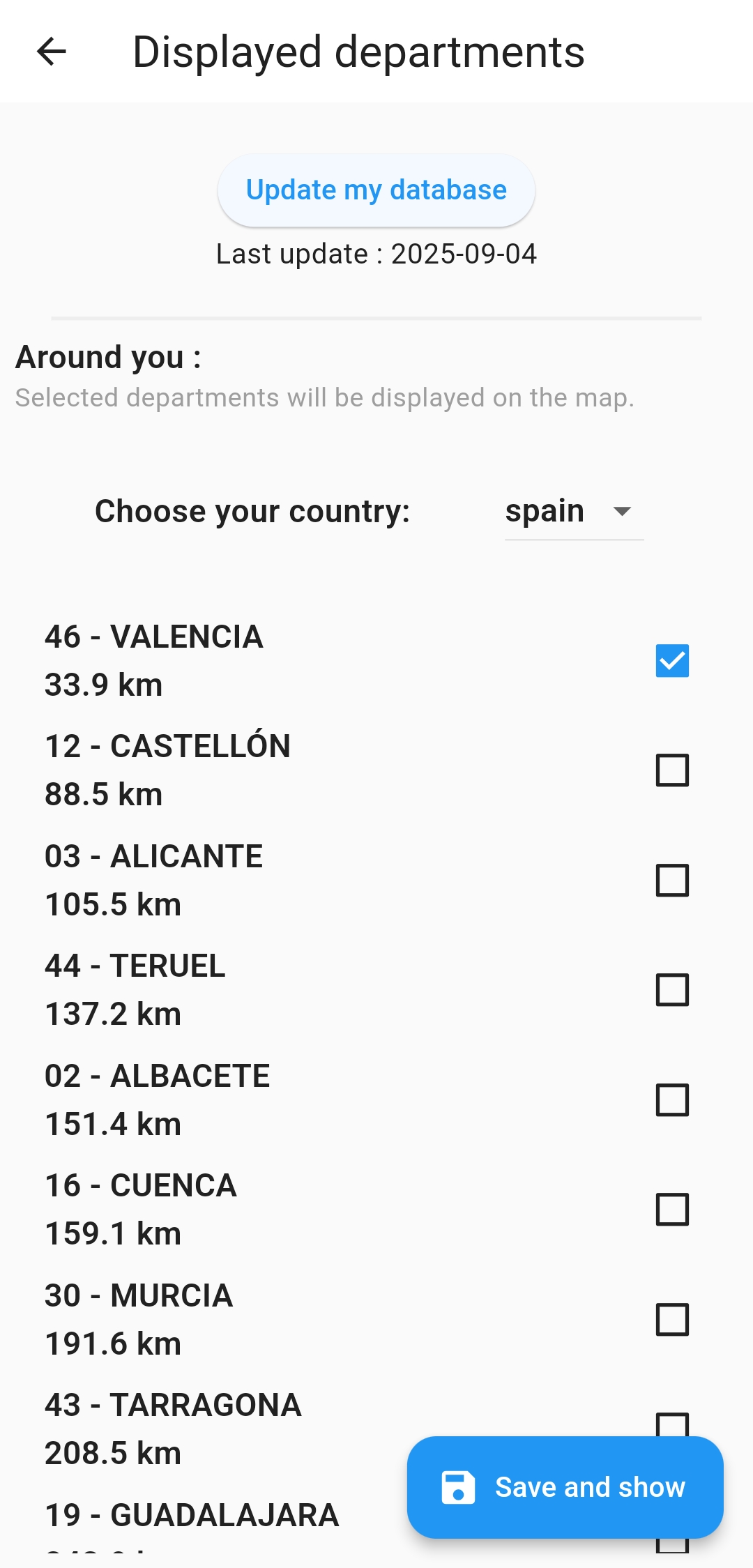
Implementation hints:
- Use
httpwith streaming parsing when payloads are large. - Support multiple file formats: CSV, JSON, and optionally compressed responses.
Interactive tutorial and usability
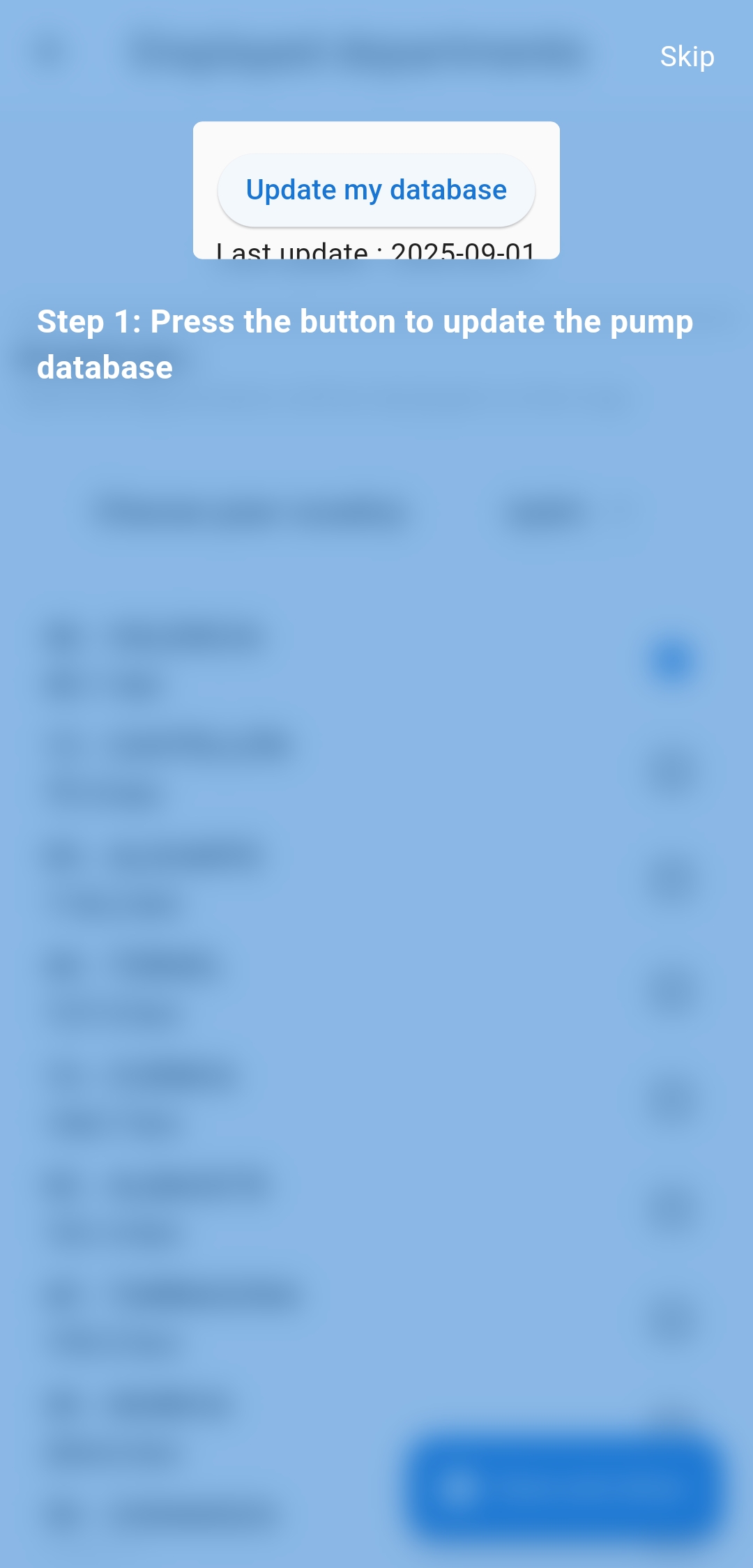
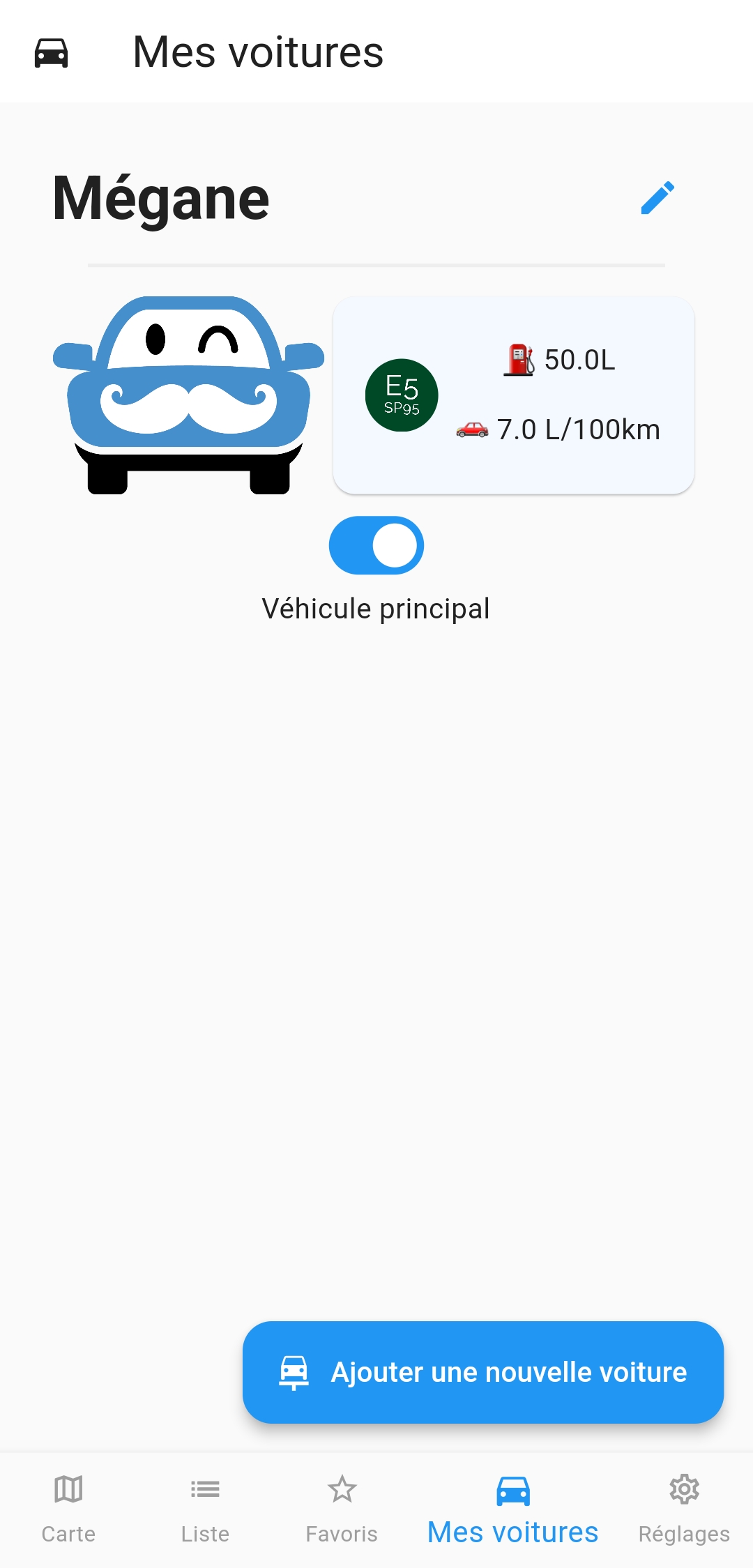
New users often miss advanced features (like searching along a route). v3 ships an embedded interactive tutorial with three parts:
- First-run walkthrough that highlights the map screen elements and teaches how to download the data lcoally.
- Contextual tips shown the first time a user opens the route planner or taps an unfamiliar control.
- Power-user tour accessible from the Settings that explains data sources.
Store a simple local flag (e.g. with SharedPreferences) to avoid repeating tips unnecessarily.
Binary Search
When processing pump data from OpenData, I noticed that fetching specific entries could become slow as the datasets grew. To make lookups faster, I first sort the data inside each file by name before processing. Once the data is ordered, I can efficiently retrieve records using a binary search instead of scanning the entire file line by line. This small optimization makes a big difference when working with large datasets or when performing repeated queries on the same files.
UI / Design improvements
- Adopted Material 3 color scheme and a brand-specific color.
- Cleaner map pin designs and clearer price badges (compact, high-contrast, accessible).
- Better animations and micro-interactions for loading, refreshing, and tutorial transitions.
Accessibility: larger hit targets, text scaling support, and haptic feedback for key interactions.
Privacy and offline considerations
- No personal data leaves the device. All fetched OpenData is public and processed locally.
- The application stores only the pump dataset, app settings.
- The default behavior is offline caching with explicit user-initiated refresh. Users can set auto-update preferences.
Testing & QA checklist
- Unit tests for parsers and mappers.
- Widget tests for the main flows (map, list, route planner).
- Regression Testing on all features.
- Manual tests on low-memory devices and airplane-mode scenarios.
Developer tips & sample code snippets
Fetching and saving OpenData (simplified)
final client = http.Client();
try {
  final response = await client
      .get(Uri.parse(url))
      .timeout(const Duration(seconds: 30));
  await db.batchWrite(records);

} on TimeoutException {
  throw Exception('Request timed out');
} finally {
  client.close();
}
Query pumps near a polyline sample point (pseudo)
double computeScore(Pump pump, double expectedLiters, double pricePerLiter, double detourMinutes) {
  const valueOfTimePerMinute = 0.25;

  // Guard against division by zero
  if (expectedLiters <= 0) {
    return double.infinity;
  }

  final detourCost = detourMinutes * valueOfTimePerMinute;
  final detourCostPerLiter = detourCost / expectedLiters;
  return pricePerLiter + detourCostPerLiter;
}
Closing notes
Tutut v3 puts the user in control with up-to-date OpenData and on-device processing to make it a practical tool for drivers who want to save money without sacrificing convenience or privacy. The migration to Flutter 3.7.12, null safety, and Material 3 reduces maintenance burden while improving UX and reliability.
You can get it here :